





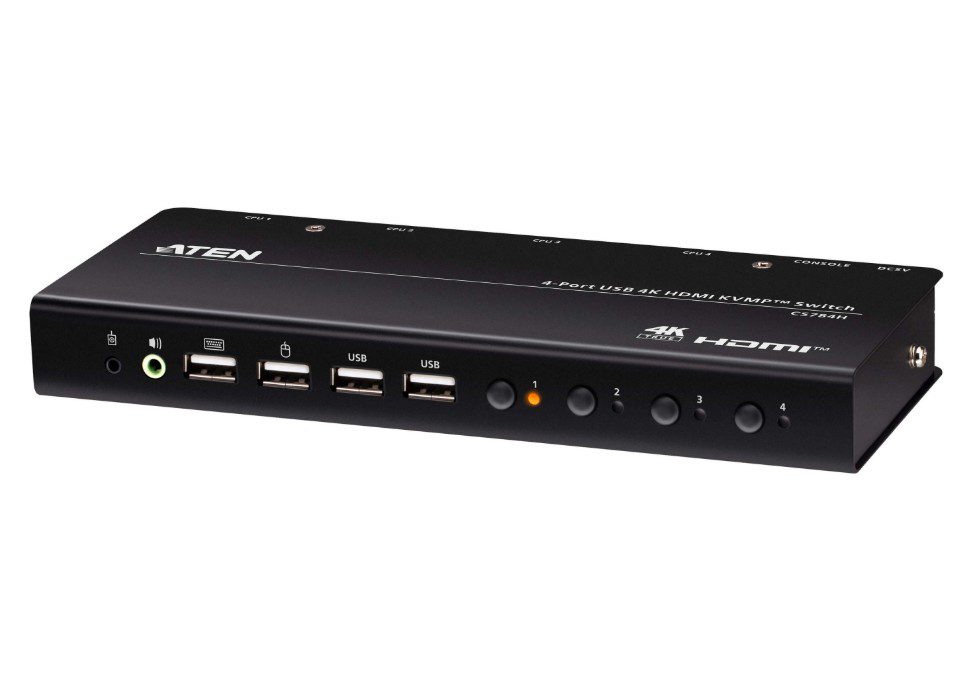








Aten CS784H-AT-U – Aten 4-Port USB 4K HDMI KVMP Switch
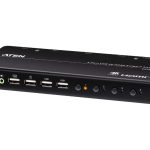
The Aten 4-Port USB 4K HDMI KVMP Switch is a reliable solution for managing multiple devices.
This product allows users to connect up to four devices via USB and HDMI, making it easy to switch between them. Furthermore, the KVMP switch supports 4K resolution, ensuring clear and crisp video output. Consequently, this product is ideal for use in enterprise environments where multiple devices need to be managed efficiently.
The Aten CS784H-AT-U is a straightforward solution that eliminates the need for complicated device management systems. Specifically, it allows users to connect devices such as laptops, desktops, and monitors, making it easy to switch between them. Additionally, the product’s compact design makes it perfect for use in small or medium-sized enterprises.
Technical Specifications
| USB Ports | 4 |
| HDMI Ports | 1 |
| View all Aten Products → | |
Challenges Solved by Aten CS784H-AT-U
Bottlenecked deployment workflows are a common challenge faced by IT teams. Specifically, managing multiple devices can be time-consuming and inefficient. Moreover, infrastructure scalability limits can also hinder business growth. The Aten CS784H-AT-U KVMP Switch is designed to mitigate these risks by providing a reliable and efficient solution for device management. Importantly, this product allows users to switch between devices quickly and easily, reducing the risk of downtime and increasing overall productivity.
 Australian Logistics & B2B Support
As a 100% Aussie-owned and operated business, we are a trusted partner for Aten. We empower enterprise procurement with dedicated B2B account support and flexible payment options.
Frequently Asked Questions
What is the maximum resolution supported by the Aten CS784H-AT-U KVMP Switch?
The Aten CS784H-AT-U KVMP Switch supports up to 4K resolution.
Can I use the Aten CS784H-AT-U KVMP Switch with my existing devices?
Yes, the Aten CS784H-AT-U KVMP Switch is compatible with a wide range of devices, including laptops, desktops, and monitors.
How do I switch between devices using the Aten CS784H-AT-U KVMP Switch?
To switch between devices, simply use the front panel buttons to select the desired device.
Can I get help with installation and setup?
Yes, our Sales Team is available to assist with installation and setup.
Ready to Deploy Aten 4-port Usb 4k Hdmi Kvmp™ Switch (cables Included) (CS784H-AT-U)?
Product Ref: TOS-1587025 • Get enterprise pricing, volume discounts, and Australian support.