





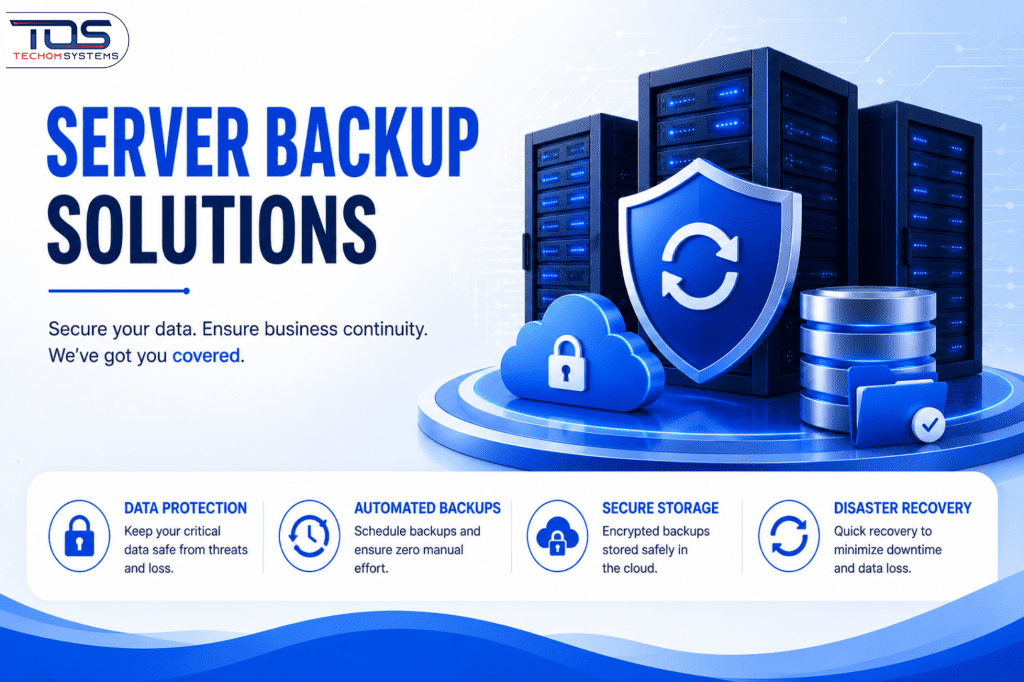
Protecting business data is essential in an era where system failures, cyber threats, and accidental errors can occur at any time. Server Backup Solutions help organizations secure their critical information by creating reliable backups and ensuring fast recovery when disruptions happen. Today’s backup systems combine cloud storage, on-premises infrastructure, and automated workflows to deliver strong data protection and maintain seamless operations.
To further strengthen these systems, Backup Assist Software plays a key role by automating backup processes and improving overall efficiency. It simplifies scheduling, monitoring, and reporting while optimizing storage usage and supporting compliance requirements. Together, these technologies form a comprehensive backup strategy that safeguards data, reduces risks, and helps businesses stay resilient and productive.
Understanding Modern Backup Systems
These solutions form the backbone of data protection for enterprises. They involve scheduling regular backups of critical systems, databases, and applications to ensure business continuity. The primary goal is to minimize data loss and enable quick recovery during disruptions. Modern approaches leverage technologies such as RAID, replication, and incremental backups to optimize storage efficiency and enhance overall performance.
Types of Server Backup Solutions
- On-Premises Backup: Physical servers store backups locally, offering full control but requiring dedicated infrastructure.
- Cloud-Based Backup: Data is stored in remote servers, providing scalability and accessibility but depending on internet connectivity.
- Hybrid Backup: Combines on-premises and cloud storage for balanced security and flexibility.
- Replication Solutions: Real-time data mirroring between primary and secondary servers for immediate failover.
Importance of Backup Management Tools
Backup management tools play a critical role in ensuring efficient and reliable data protection by automating processes like scheduling, monitoring, and reporting, which reduces human error and improves control and visibility. They help organizations maintain consistent backup operations and quickly identify issues, while business backup works by creating secure copies of critical data and storing them in cloud, on-premises, or hybrid environments. These backups run automatically at regular intervals and allow quick data recovery in case of data loss, cyberattacks, or system failures, ensuring business continuity with minimal downtime.
Key functions include:
- Workflow Automation: Automates backup tasks, reducing manual effort and ensuring consistency across operations.
- Scheduled Backups: Enables predefined backup schedules to run automatically without user intervention.
- Monitoring & Alerts: Provides real-time tracking of backup activities and sends alerts in case of failures or issues.
- Reporting & Insights: Generates detailed reports to help evaluate performance and ensure accountability.
- Cloud Integration: Connects with cloud platforms to enable scalable storage and remote access.
- Storage Optimization: Uses smart techniques to reduce storage usage and improve cost efficiency.
- Compliance Support: Helps meet data protection and retention regulations through structured policies.
Backup Solutions Comparison: Modern vs Traditional Methods
Comparing available options helps businesses assess features, automation, scalability, and cost-effectiveness. The right choice boosts efficiency, ensures reliable backups, supports cloud integration, and strengthens long-term data protection strategies. How Business Backup Works: It involves creating secure copies of critical data and storing them in cloud, on-premises, or hybrid environments, with automated backups at regular intervals and quick recovery options in case of data loss, system failures, or cyber threats, ensuring continuous business operations.
| Feature | Backup Assist Software | Traditional Backup Tools | Server Backup Solutions |
|---|---|---|---|
| Automation | High | Low | Medium |
| Cloud Integration | Native Support | Optional Add-ons | Supported |
| Scalability | High | Medium | High |
| Cost Efficiency | Optimized | Variable | Cost-Effective |
Implementing Effective Backup Strategies
Selecting the right approach requires aligning backup systems with specific business needs and operational priorities. Smaller businesses often focus on cost-effective cloud-based setups, while larger enterprises may prefer hybrid models for greater flexibility and control. Regular testing of recovery processes is essential to ensure everything functions as expected during disruptions. Studies have also shown that a significant percentage of data breaches could be prevented with proper backup measures and continuous monitoring, highlighting the importance of a well-planned strategy.
Best Practices for Server Backup Solutions
- Encrypt Data – Protect backups by encrypting them during transfer and storage to maintain security.
- Test Recovery – Perform regular recovery drills to ensure systems can restore data reliably when needed
- Monitor Logs – Track backup performance and identify errors through detailed activity logs and alerts.
- Ensure Compliance – Align backup practices with relevant regulatory standards such as GDPR or HIPAA.
Common Challenges with Backup Systems
Despite their advantages, backup systems often face challenges such as rising storage costs, risks to data integrity, and difficulties in seamless integration with existing infrastructure. Managing large volumes of data can become expensive, while ensuring accuracy and consistency across backups requires careful planning and continuous monitoring.
Advanced backup tools help address these issues by introducing features like deduplication and compression, which significantly reduce storage requirements and improve efficiency. For instance, organizations adopting these technologies have reported substantial cost savings and improved performance, demonstrating how the right approach can overcome common limitations and enhance overall data protection.
Future Trends in Data Backup and Recovery
Advancements in AI and machine learning are transforming modern backup systems by making them more intelligent and efficient. Predictive analytics now helps detect potential data risks before they occur, enabling proactive protection rather than reactive recovery. Industry experts highlight that these systems are evolving into smarter frameworks driven by data insights and automation. As a result, organizations can better manage increasing data volumes while staying prepared for emerging security threats.
- AI-Powered Automation: Advancements in artificial intelligence are making Business Backup Solutions more intelligent by automating processes and improving decision-making capabilities.
- Predictive Analytics: Machine learning models can now identify potential data risks before failures occur, helping organizations take preventive action.
- Proactive Data Protection: Systems are shifting from reactive recovery methods to proactive monitoring, ensuring continuous data safety and reduced downtime.
- Enhanced Security Measures: Modern innovations strengthen protection against cyber threats, including ransomware and unauthorized access.
- Integration with Smart Tools: With the help of Backup Assist Software, organizations can implement advanced automation, real-time monitoring, and improved resource management.
- Scalability for Growing Data: Emerging technologies ensure backup systems can handle increasing data volumes without compromising performance or speed.
- Improved Efficiency and Cost Optimization: Intelligent storage techniques, such as deduplication and compression, help reduce costs while improving system efficiency.
Frequently Asked Questions
1. How often should I back up my server?
The backup frequency depends on how often your data changes. Critical systems may require hourly backups, while less sensitive data can be backed up daily or weekly. Reliable Server Backup Solutions allow flexible scheduling based on business needs.
2. Can automation tools replace traditional backup methods?
Modern tools enhance traditional methods by automating processes, improving efficiency, and reducing manual effort. Backup Assist Software complements existing systems by adding smarter control and monitoring capabilities.
3. What happens if a backup fails?
If a backup fails, the system should immediately generate alerts so issues can be resolved quickly. Regular monitoring and audits help reduce recurring failures and ensure consistent performance.
4. How do I choose the right backup approach?
Choosing the right backup approach depends on several key factors, including your budget, data volume, scalability requirements, compliance obligations, and the level of IT expertise available within your organization. Businesses handling sensitive or rapidly changing data may require more advanced and frequent backup strategies, while smaller setups can opt for simpler and cost-effective solutions.
Why TECHOM Shop is the Smart Choice for Your Business?
At TECHOM Shop, we deliver reliable and efficient solutions designed to keep your data protected and your operations running smoothly. With a strong focus on automation and performance, our approach reduces manual effort while ensuring consistent and accurate results. Our systems are built to handle modern data challenges, providing a seamless experience backed by enhanced security and stability.
Our commitment goes beyond technology alone. At TECHOM Shop, we offer scalable solutions that grow alongside your business, supported by expert guidance at every stage. By emphasizing cost-efficiency and long-term value, we ensure you receive a dependable, future-ready solution tailored to your evolving needs.
Conclusion
A strong backup strategy is essential for protecting critical data and ensuring business continuity in today’s digital environment. By combining reliable technologies, smart automation, and regular testing, organizations can minimize risks and recover quickly from disruptions. How Business Backup Works: it involves creating secure copies of critical data and storing them in cloud, on‑premises, or hybrid environments with automated backup schedules and quick recovery options. Server Backup Solutions provide a structured and dependable approach to safeguarding information, helping businesses stay secure, resilient, and prepared for future challenges.
Protect your data before it’s too late. Take the next step toward a secure and reliable system with a solution designed to keep your business running without interruption. Contact us today to explore the right option for your needs.

Peter Pawlak, Director of Sales and Customer Advocate, brings over 15 years of experience helping ambitious business owners grow with confidence. His mission is to empower people to start, build, and run their businesses successfully, turning ideas into thriving ventures. Peter’s passion for business transformation and his results-driven approach have been key to guiding entrepreneurs toward faster and smarter growth.