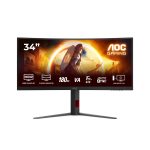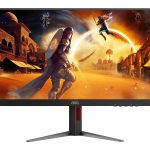








Dell AG-MONP3225QE – Professional 31.5″ UHD 4K Monitor
The Dell Pro Plus monitor is designed to deliver exceptional visuals and performance for enterprise environments. With its 31.5″ UHD 4K IPS LED display, this device offers stunning color accuracy and a wide viewing angle, making it ideal for applications that require precise color representation. The monitor’s architecture is built around a robust set of connectivity options, including HDMI, DP, USB-C, and USB 3.0, allowing for seamless integration with a variety of devices. In the enterprise setting, this monitor can be used for a range of tasks, from graphic design and video editing to data analysis and software development. Its high-resolution display and fast response time make it well-suited for applications that require intense visual focus. the monitor’s ergonomic design and adjustable stand allow for comfortable viewing and reduced eye strain.
The Dell Pro Plus monitor is also designed with security and manageability in mind. Its LAN connectivity option enables secure and reliable network connections, while its USB-C port provides a convenient and fast way to transfer data and charge devices. In terms of manageability, the monitor’s compatibility with a range of operating systems and devices makes it easy to integrate into existing IT infrastructures. Overall, the Dell Pro Plus monitor is a powerful tool for enterprise environments, offering a unique combination of visual performance, connectivity, and manageability.
In terms of use cases, this monitor can be used in a variety of settings, from creative agencies and software development teams to data analysis and financial institutions. Its high-resolution display and fast response time make it well-suited for applications that require intense visual focus, while its ergonomic design and adjustable stand allow for comfortable viewing and reduced eye strain.
Technical Specifications
| Brand | Dell |
| SKU | AG-MONP3225QE |
| Category | |
| Screen Size | 31.5″ |
| Aspect Ratio | 16:9 |
| Resolution | UHD 4K |
| Panel Type | IPS LED |
| Connectivity | HDMI, DP, USB-C, USB 3.0, LAN |
| View all Dell Products → | |
Challenges Solved by this Solution
For many enterprises, outdated display technology can be a major bottleneck to productivity and efficiency. Legacy monitors can be slow to respond, prone to eye strain, and limited in their connectivity options, making it difficult for teams to collaborate and work effectively. The Dell Pro Plus monitor solves these pain points by offering a fast, responsive, and highly connected display solution. With its UHD 4K resolution and IPS LED panel, this monitor delivers stunning visuals and precise color representation, making it ideal for applications that require intense visual focus. Its robust set of connectivity options and ergonomic design also make it easy to integrate into existing IT infrastructures and reduce eye strain. By investing in the Dell Pro Plus monitor, enterprises can improve productivity, reduce IT overhead, and enhance overall operational efficiency.
 Australian Logistics & B2B Support
As a 100% Aussie-owned and operated business, we are a trusted partner for Dell. We empower enterprise procurement with dedicated B2B account support and flexible payment options.
Frequently Asked Questions
What is the typical response time for a UHD 4K monitor?
The typical response time for a UHD 4K monitor is around 5-8ms, although this can vary depending on the specific model and manufacturer.
Can I use this monitor with my existing USB devices?
Yes, this monitor has multiple USB ports, including USB-C and USB 3.0, making it easy to connect and charge your devices.
How do I adjust the height and tilt of the monitor?
The monitor has an adjustable stand that allows you to customize the height and tilt to your preferred viewing position.
Can the TECHOM Systems Sales team help me with installation and setup?
Yes, our sales team can provide assistance with installation, setup, and any other technical questions you may have.

Ready to Deploy Dell Pro Plus, 31.5″ (16:9) Uhd 4k Ips Led, Hdmi, Dp, Usb-c, Usb(3), H/adj, Lan, 3yr (AG-MONP3225QE)?
Product Ref: TOS-190667 • Get enterprise pricing, volume discounts, and Australian support.