







Dynabook PS0120AA1PRP – T/Bolt 4 Docking Station
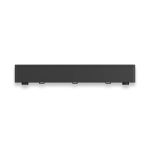
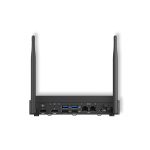
The T/Bolt 4 Docking Station is designed to enhance productivity and efficiency in enterprise environments. With its robust architecture, this device provides a secure and reliable connection for users, enabling them to work seamlessly with their laptops and peripherals. The docking station features multiple USB ports, including USB-C and traditional USB, allowing users to connect a range of devices, from keyboards and mice to external hard drives and monitors.
In addition to its connectivity options, the T/Bolt 4 Docking Station also includes DisplayPort and HDMI ports, making it easy to connect to external displays and projectors. This feature is particularly useful in conference rooms and meeting spaces, where users need to share presentations and collaborate with colleagues. The docking station’s 90W Power Delivery (PD) capability also ensures that laptops and other devices are charged quickly and efficiently.
The T/Bolt 4 Docking Station is also designed with security in mind. Its LAN port provides a secure and stable connection to the network, reducing the risk of data breaches and cyber attacks. This feature is particularly important in enterprise environments, where sensitive data is often transmitted and stored.
Technical Specifications
| Brand | Dynabook |
| SKU | PS0120AA1PRP |
| Category | Computers |
| USB-C | 4 |
| USB | 4 |
| DisplayPort | 1 |
| HDMI | 2 |
| Power Delivery | 90W |
| LAN | 1 |
| View all Dynabook Products → | |
Challenges Solved by this Solution
s, IT professionals face a range of challenges that can impact productivity and efficiency. One common pain point is the need to connect multiple devices to a laptop, which can lead to cluttered workspaces and reduced mobility. The T/Bolt 4 Docking Station solves this problem by providing a single, secure connection point for all devices.
Another challenge facing IT professionals is the need to ensure secure and stable connections to the network. The T/Bolt 4 Docking Station’s LAN port provides a reliable connection, reducing the risk of data breaches and cyber attacks. By investing in this device, enterprises can improve productivity, reduce IT overhead, and mitigate risk.
 Australian Logistics & B2B Support
As a 100% Aussie-owned and operated business, we are a trusted partner for Dynabook. We empower enterprise procurement with dedicated B2B account support and flexible payment options.
Frequently Asked Questions
What types of devices can I connect to the docking station?
You can connect a range of devices, including keyboards, mice, external hard drives, monitors, and projectors.
Can I use the docking station to charge my laptop?
Yes, the docking station’s 90W Power Delivery (PD) capability ensures that your laptop is charged quickly and efficiently.
Is the docking station secure?
Yes, the docking station’s LAN port provides a secure and stable connection to the network, reducing the risk of data breaches and cyber attacks.
Can I get help with installation and setup?
Yes, the TECHOM Systems Sales team can provide assistance with installation, setup, and any other technical questions you may have.
What kind of support is available for the docking station?
The TECHOM Systems Sales team can provide support for the docking station, including troubleshooting and maintenance.

Ready to Deploy Dynabook T/bolt 4 Docking Station, Usb-c(4), Usb(4), Dp, Hdmi(2), 90w Pd, Lan, 3yr (PS0120AA1PRP)?
Product Ref: TOS-294013 • Get enterprise pricing, volume discounts, and Australian support.