




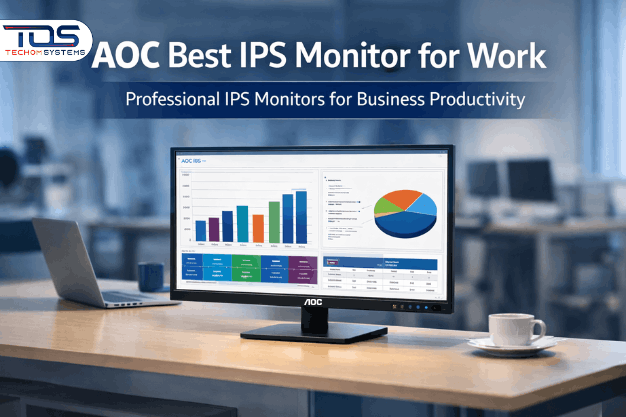
Buy AOC Best IPS Monitor for Work Online at Competitive Prices
You experience how frustrating it is when your monitors are not working right. If your team spends hours in front of screens every day. This also slows down your work. So, any business that wants to make their office more comfortable and productive should buy the best IPS monitor for work.
IPS monitors are made in different ways. They have true colours, wide performance angles and smooth visuals, which makes them great for office work, working with others andeven creative projects. We have tried a few brands over the years, but AOC always best. These monitors are sleek, reliable and made to last within long workdays without breaking.
This post comes with a explanation why an AOC best IPS monitor for work is a good choice for your business. Also know what to look for and where Australian businesses can buy them online with confidence
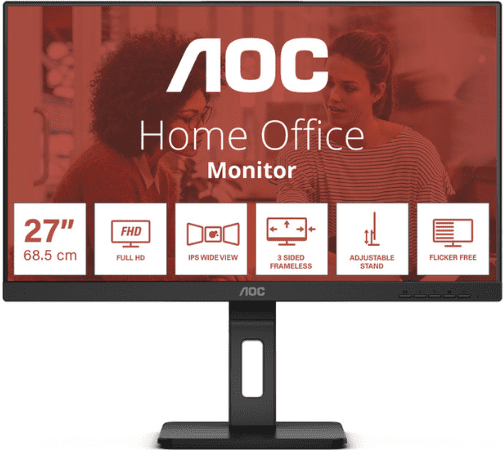
For businesses reviewing their display setup, it helps to talk through requirements before making a purchase. A quick enquiry can save time later.

How an IPS Monitor Improves Day-to-Day Office Work
Upgrading from TN panels to an AOC IPS monitor delivered an instant improvement in clarity and overall screen comfort. Colours stayed consistent across the screen, text was sharp and after a full day, there was noticeably less eye exhaustion.
What makes IPS monitors a smart choice for businesses-
- Clear viewing from anywhere – People around the table can see the screen properly, even when they’re not sitting directly in front of it. No washed-out colours or awkward screen adjustments during meetings.
- Colours stay consistent – Spreadsheets, reports and presentation slides look the same on screen as they do when shared with clients or colleagues. That consistency is important in a professional setting.
- Easier on the eyes during long days – Features like flicker-free display and low blue light help reduce eye fatigue, especially for teams working full days at their desks.
- Better multitasking – Running multiple windows side by side stays comfortable and readable, which helps staff move through tasks more efficiently.
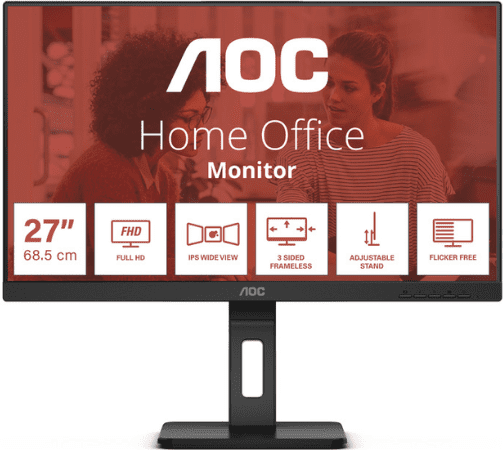
Upgrading to the best AOC IPS monitor is about efficiency. Teams can work longer, focus better and produce professional-quality results without constant screen adjustments.
Key Features to Look for in a Business IPS Monitor
When setting up monitors for a professional office, we tend to focus on the things that actually affect how people work day to day, not just what looks good on paper.
- Screen size – For most desks, 24 to 27 inches hits the sweet spot. It gives enough room to work across multiple windows without taking over shared desk space.
- Resolution – Full HD handles general office tasks without issue, but higher resolutions like 2K or 4K make a noticeable difference when working with large spreadsheets, detailed reports, or design files.
- Adjustability – Being able to adjust height, tilt and swivel helps staff stay comfortable throughout the day and avoids unnecessary neck and eye strain.
- Connectivity – HDMI, DisplayPort and USB-C support means the monitor works smoothly with both laptops and desktops, which is important in flexible or hybrid work setups.
- Eye comfort features – Flicker-free screens and low blue light modes help reduce fatigue, especially for teams spending long hours in front of their screens.
From my experience, best IPS monitor for work cover these basics well, which makes them a practical choice for office environments, creative teams and shared workspaces.
Why AOC IPS Monitors Are Trusted by Businesses
In a professional setting, reliability issues. The best AOC IPS monitors offer-
- Built for daily use – These monitors handle full workdays without issues, even in busy office environments where screens are on from morning to late afternoon.
- Reliable colour performance – What you see on screen stays consistent, which helps when preparing presentations, reports, or anything that will be shared with clients.
- Runs efficiently all day – You can leave them on for long hours without worrying about unnecessary power usage adding up.
- Looks right in a professional office – Clean, modern styling that suits boardrooms, shared desks and home offices without standing out for the wrong reasons.
It is more than a screen upgrade. With AOC, businesses can provide staff with equipment that boosts efficiency, supports accuracy and looks professional in any office or boardroom.
Experience After Upgrading
After adding best AOC IPS monitors to my workspace, the benefits were obvious-
- Staff and I experienced less eye strain during long workdays.
- Colours stayed consistent, making presentations and reports look polished.
- Screens could be shared in meetings without any distortion.
- Working across multiple apps felt easier, with everything staying clear and readable on the screen at the same time.
From a business point of view, those small improvements add up. Staff stay more comfortable, work flows more smoothly and client-facing tasks look more professional without extra effort.
Planning an upgrade to best IPS monitor for work? A quick enquiry can help narrow down the right option without overcommitting.
How to Pick the Right IPS Monitor for Your Office
When selecting monitors for a business environment, here are my top tips:
- Daily use: Identify tasks your team spends the most time on—documents, spreadsheets, creative work—and choose size and resolution accordingly.
- Workspace planning: Ensure monitors fit comfortably on desks without overcrowding.
- Ergonomics: Tilt, swivel and height adjustments are critical for employee comfort.
- Eye protection: Flicker-free and low blue light features help reduce fatigue.
- Connectivity: Make sure monitors support the devices your team uses.
AOC monitors meet these requirements effortlessly, making it easy to standardise equipment across your office or team.
Frequently Asked Questions
1. Why should businesses choose IPS monitors?
IPS monitors improve clarity, colour accuracy and viewing angles. For teams, this means less eye strain, more comfortable collaboration and professional-looking work outputs.
2. Can AOC IPS monitors work for both home office and corporate environments?
Absolutely. Whether staff work remotely or in a shared office, AOC monitors perform consistently, making them a versatile investment for any business setup.
3. How do I pick best IPS monitor for work with my team?
Consider daily tasks, desk space and connectivity. For general office work, Full HD works well. For detailed spreadsheets, creative tasks, or presentations, 2K or 4K monitors are better. Ergonomics are also key for long-term comfort.
4. Will IPS monitors reduce eye strain for employees?
Yes. Flicker-free screens and low blue light modes significantly reduce fatigue, especially during long hours of work, improving employee wellbeing and productivity.
5. Where can Australian businesses buy AOC IPS monitors online?
For Australian businesses, TECHOM Systems Shop is a reliable choice. They offer a curated range of AOC IPS monitors, competitive pricing, fast delivery and support if needed, making it simple to equip your office or team.
Where to Buy AOC IPS Monitors Online
For Australian businesses, I recommend TECHOM Systems Shop. They make it easy to find the right monitor for your team with-
- A curated range of AOC monitors for office and creative work.
- Clear specifications and comparison tools for informed purchasing.
- Fast and reliable delivery anywhere in Australia.
- Helpful support for setup or configuration queries.
Whether you’re upgrading a single workstation or outfitting an entire office, TECHOM Systems Shop makes it easy for businesses to get the right equipment without hassle.
Final Thoughts
For Australian businesses looking to improve productivity and comfort, investing in the best IPS monitor for work is a smart move. AOC monitors deliver clear visuals, reliable performance, ergonomic support and long-term durability.
If you want your team to work more efficiently and comfortably, check out the AOC IPS monitors at TECHOM Systems Shop. They offer quality monitors, support and delivery options that make business purchasing simple and reliable.
For enquiries or assistance with choosing the right monitor, feel free to Contact Us.
For advice or pricing tailored to your requirements, you can get in touch instantly-
- Phone: 1800 867 669
- Email:

Peter Pawlak, Director of Sales and Customer Advocate, brings over 15 years of experience helping ambitious business owners grow with confidence. His mission is to empower people to start, build, and run their businesses successfully, turning ideas into thriving ventures. Peter’s passion for business transformation and his results-driven approach have been key to guiding entrepreneurs toward faster and smarter growth.