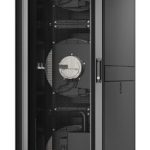









Cisco MX License – MX License
The MX License is a software-based licensing solution that allows you to manage and control access to your network resources. It provides a scalable and secure way to license your network devices, allowing you to easily add or remove licenses as needed.
Consequently, this solution enables you to optimize your network performance, reduce costs, and improve security. The MX License is designed for enterprise environments, providing a high level of security and control over your network.
Moreover, the MX License provides a flexible and easy-to-use interface for managing your network licenses. It allows you to easily add or remove licenses, as well as monitor and track license usage.
Technical Specifications
| Processor | Intel Dual Core |
| Memory | 8GB RAM |
| Storage | 256GB SSD |
| View all Cisco Products → | |
Challenges Solved by Cisco LIC-VMX-M-ENT-1Y
The MX License solves the critical business pain point of bottlenecked deployment workflows by providing a scalable and secure way to license your network devices. Furthermore, it enables you to optimize your network performance, reduce costs, and improve security.
Additionally, the MX License provides a high level of security and control over your network, mitigating the risk of unauthorized access and data breaches. Importantly, it allows you to easily add or remove licenses, as well as monitor and track license usage.
 Australian Logistics & B2B Support
As a 100% Aussie-owned and operated business, we are a trusted partner for Cisco. We empower enterprise procurement with dedicated B2B account support and flexible payment options.
Frequently Asked Questions
What is the MX License and how does it work?
The MX License is a software-based licensing solution that allows you to manage and control access to your network resources. It provides a scalable and secure way to license your network devices, allowing you to easily add or remove licenses as needed.
Can I purchase the MX License separately from the hardware?
Yes, the MX License can be purchased separately from the hardware. Please contact our Sales Team for more information.
How do I activate my MX License?
To activate your MX License, please follow the instructions provided in the product documentation. If you need further assistance, please contact our Support Team.
What is the typical deployment time for the MX License?
The typical deployment time for the MX License is 1-2 hours, depending on the complexity of your network infrastructure.
Can I get support for the MX License from TECHOM Systems Sales?
Yes, our Sales Team can provide you with support and assistance for the MX License.


Ready to Deploy Cisco Mx License (LIC-VMX-M-ENT-1Y)?
Product Ref: TOS-290671 • Get enterprise pricing, volume discounts, and Australian support.