






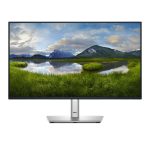
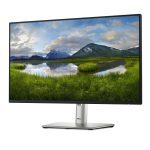
Dell P2425H – High-Performance Monitor Solution
The Dell P2425H is a high-performance monitor solution designed for enterprise environments.
This solution is ideal for organizations that require a reliable and efficient display system. The product features a sleek design and high-resolution display, making it perfect for presentations, video conferencing, and data analysis.
In addition to its technical specifications, the Dell P2425H also offers excellent connectivity options, including multiple USB ports and an HDMI input. This allows users to easily connect their devices and enjoy seamless performance.
Technical Specifications
| Resolution | Full HD |
| Display Size | 24 inches |
| Refresh Rate | 60 Hz |
| View all Dell Products → | |
Challenges Solved by Dell P2425H
Bottlenecked deployment workflows are a common challenge for IT teams. They struggle to manage complex environments, leading to delayed project timelines and increased costs. The Dell P2425H helps alleviate these issues by providing a high-performance display solution that streamlines data analysis and presentation workflows.
With its high-resolution display and efficient connectivity options, this product enables IT teams to deploy projects faster and with greater accuracy. By investing in the Dell P2425H, organizations can reduce their total cost of ownership and improve operational efficiency.
 Australian Logistics & B2B Support
As a 100% Aussie-owned and operated business, we are a trusted partner for Dell. We empower enterprise procurement with dedicated B2B account support and flexible payment options.
Frequently Asked Questions
What is the recommended resolution for optimal performance?
The recommended resolution for optimal performance is Full HD (1080p).
Can I connect multiple devices to the monitor?
Yes, you can connect multiple devices to the monitor using the available USB ports and HDMI input.
How do I troubleshoot connectivity issues with the monitor?
If you experience any connectivity issues, please contact our Sales Team for assistance.
What is the recommended placement of the monitor in a typical office environment?
The recommended placement of the monitor is at a comfortable viewing height and distance to minimize eye strain.
Can I purchase additional accessories for the monitor, such as a keyboard or mouse?
Yes, you can purchase additional accessories for the monitor through our Sales Team.
Ready to Deploy Dell Monitor (P2425H)?
Product Ref: TOS-190658 • Get enterprise pricing, volume discounts, and Australian support.