















Overview
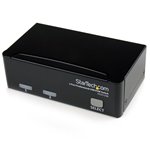
The StarTech.com SV231USB KVM switch is an essential tool for Australian businesses seeking efficient management of multiple computers from a single keyboard, video monitor, and mouse setup. Ideal for IT managers and procurement teams, this device streamlines workspace operations, reduces hardware clutter, and enhances productivity. With TECHOM Systems local stock and nationwide delivery, businesses can quickly purchase this affordable solution and enjoy reliable support tailored to the Australian market.
Key Advantages
- Seamlessly control two USB-enabled computers using one keyboard, mouse, and monitor, improving workspace efficiency.
- Supports high-resolution video output, ensuring crystal-clear display quality for professional environments.
- Compact and durable design fits easily into any office setup, saving valuable desk space.
- Plug-and-play installation requires no additional software, reducing setup time and IT overhead.
- Compatible with a wide range of operating systems, providing flexibility across diverse IT infrastructures.
Considerations
- Requires USB and video cables for each connected computer, which may need to be purchased separately.
- Limited to switching between two computers, so larger setups may require additional KVM switches.
- Optimal performance depends on compatible USB peripherals and monitor resolutions.
Detailed Insights
- The StarTech.com SV231USB KVM switch supports USB 2.0, ensuring fast and reliable peripheral connectivity for keyboards and mice.
- Its video support includes VGA and DVI connections, catering to various display requirements common in Australian offices.
- Designed to reduce IT management complexity, it enables quick switching via hotkeys or push buttons, saving valuable time.
- By consolidating control, businesses can reduce hardware costs and improve workspace ergonomics, delivering excellent ROI.
- Backed by StarTech.com, a trusted brand known for quality and innovation in connectivity solutions.
Design And Feel
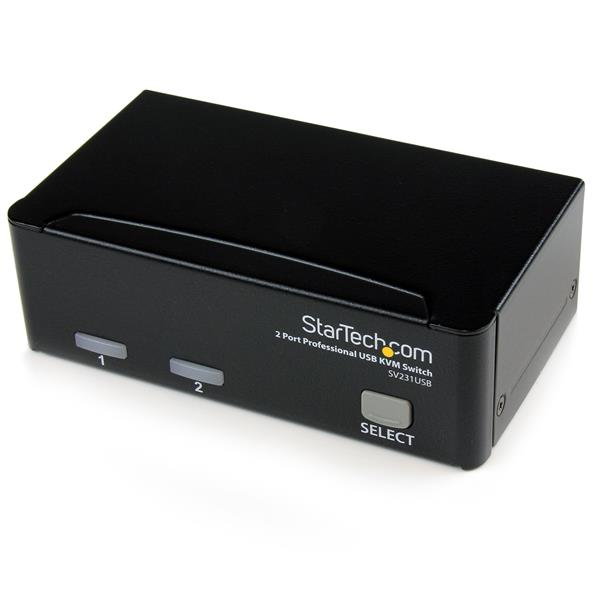
The StarTech.com SV231USB KVM switch features a sleek, compact design with a sturdy metal chassis that fits neatly into any professional environment. Its minimalist aesthetic complements modern office setups, while the intuitive button layout ensures ease of use. The device’s robust build quality guarantees long-term reliability, making it a dependable addition to your IT toolkit.
Final Thoughts
Australian businesses looking for value for money and dependable multi-computer management should consider purchasing the StarTech.com SV231USB KVM switch from TECHOM Systems. With local stock availability and fast nationwide delivery, TECHOM Systems offers unmatched support and service, ensuring your investment in this technology delivers ongoing productivity gains. For organisations embracing strategies, this KVM switch is a practical, affordable solution to streamline IT operations.
Disclaimer
Disclaimer : Product specifications and details are sourced from the manufacturer and third-party data. While we strive for accuracy, occasional errors may occur. Please contact TECHOM Systems to confirm details before purchase.