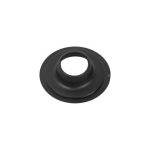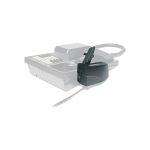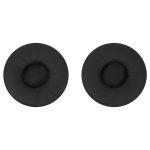








Logitech 993-001039 – ConferenceCam Connect Remote Control
The ConferenceCam Connect Remote Control is a critical component of a comprehensive conferencing solution. This device enables seamless control over conference calls, allowing users to effortlessly manage audio and video settings. In the context of enterprise conferencing, this level of control is crucial for ensuring high-quality interactions. The remote control’s intuitive design makes it easy for users to navigate and adjust settings, even in complex conferencing environments. By providing a dedicated control interface, this device helps to minimize distractions and ensure that meetings remain focused and productive. In addition, the remote control’s compatibility with a range of conferencing systems makes it an ideal choice for organizations seeking to standardize their conferencing infrastructure.
The ConferenceCam Connect Remote Control is also well-suited to the demands of remote workforce collaboration. As more organizations adopt flexible work arrangements, the need for reliable and user-friendly conferencing solutions has become increasingly important. This device helps to address this need by providing a simple and intuitive interface for managing conference calls. By enabling users to easily control audio and video settings, the remote control helps to ensure that remote meetings are productive and effective. the device’s compact design makes it easy to deploy in a range of environments, from small meeting rooms to large conference spaces.
In terms of technical architecture, the ConferenceCam Connect Remote Control is designed to integrate seamlessly with a range of conferencing systems. This makes it an ideal choice for organizations seeking to upgrade their existing conferencing infrastructure or deploy a new solution. The device’s compatibility with a range of platforms and protocols ensures that it can be easily integrated into complex conferencing environments.
Technical Specifications
| Brand | Logitech |
| SKU | 993-001039 |
| Category | VoIP & Conferencing |
| Color | Red |
| Interface | USB |
| View all Logitech Products → | |
Challenges Solved by this Solution
The ConferenceCam Connect Remote Control helps to address a range of pressing enterprise challenges, from poor audio and video quality to inefficient meeting workflows. By providing a dedicated control interface, this device helps to minimize distractions and ensure that meetings remain focused and productive. In addition, the remote control’s compatibility with a range of conferencing systems makes it an ideal choice for organizations seeking to standardize their conferencing infrastructure. By deploying this device, organizations can help to reduce IT overhead, improve operational efficiency, and enhance the overall quality of their conferencing interactions.
 Australian Logistics & B2B Support
As a 100% Aussie-owned and operated business, we are a trusted partner for Logitech. We empower enterprise procurement with dedicated B2B account support and flexible payment options.
Frequently Asked Questions
What is the typical use case for a conferencing remote control in an enterprise environment?
A conferencing remote control is typically used to manage audio and video settings in conference calls, ensuring high-quality interactions and minimizing distractions.
How does the ConferenceCam Connect Remote Control integrate with existing conferencing infrastructure?
The device is designed to integrate seamlessly with a range of conferencing systems, making it an ideal choice for organizations seeking to upgrade their existing infrastructure or deploy a new solution.
What are the key benefits of deploying a dedicated conferencing remote control in a meeting room environment?
The key benefits include improved meeting productivity, enhanced audio and video quality, and reduced IT overhead.
Can the TECHOM Systems Sales team provide support for installing and configuring the ConferenceCam Connect Remote Control?
Yes, the TECHOM Systems Sales team can provide support for installing and configuring the device, as well as answering any questions you may have about its use and integration.
What is the typical deployment scenario for a conferencing remote control in a large conference space?
The device is typically deployed in a central location, such as a conference table or podium, to provide easy access to users and enable seamless control over conference calls.

Ready to Deploy Logitech Spare – Logitech Conferencecam Connect – Red – Usb – N/a – Ww – Remote Control (993-001039)?
Product Ref: TOS-202729 • Get enterprise pricing, volume discounts, and Australian support.