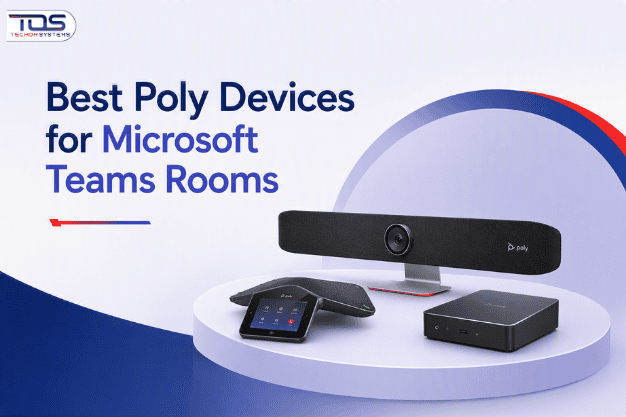
Modern hybrid workplace models across Australia demand highly sophisticated conference environments to sustain operational efficiency. IT executives and operations leaders require enterprise-grade hardware endpoints that integrate seamlessly with unified software platforms. Selecting the right physical infrastructure directly transforms internal workflow performance. Finding the Best Poly Devices for Microsoft Teams Rooms is critical for organisations seeking friction-free cross-border collaboration solutions.
Technical friction in corporate boardrooms frequently degrades executive team alignment. IT professionals regularly encounter staff inquiries such as “Why Is My Headset Not Working?”, which point directly to compatibility gaps between uncertified hardware configurations. Procurement teams avoid communication silos by sourcing Poly Devices for Microsoft Teams Rooms from trusted deployment specialists. Evaluating established infrastructure solutions at TECHOM Shop simplifies complex hardware rollouts while protecting initial capital expenditure.
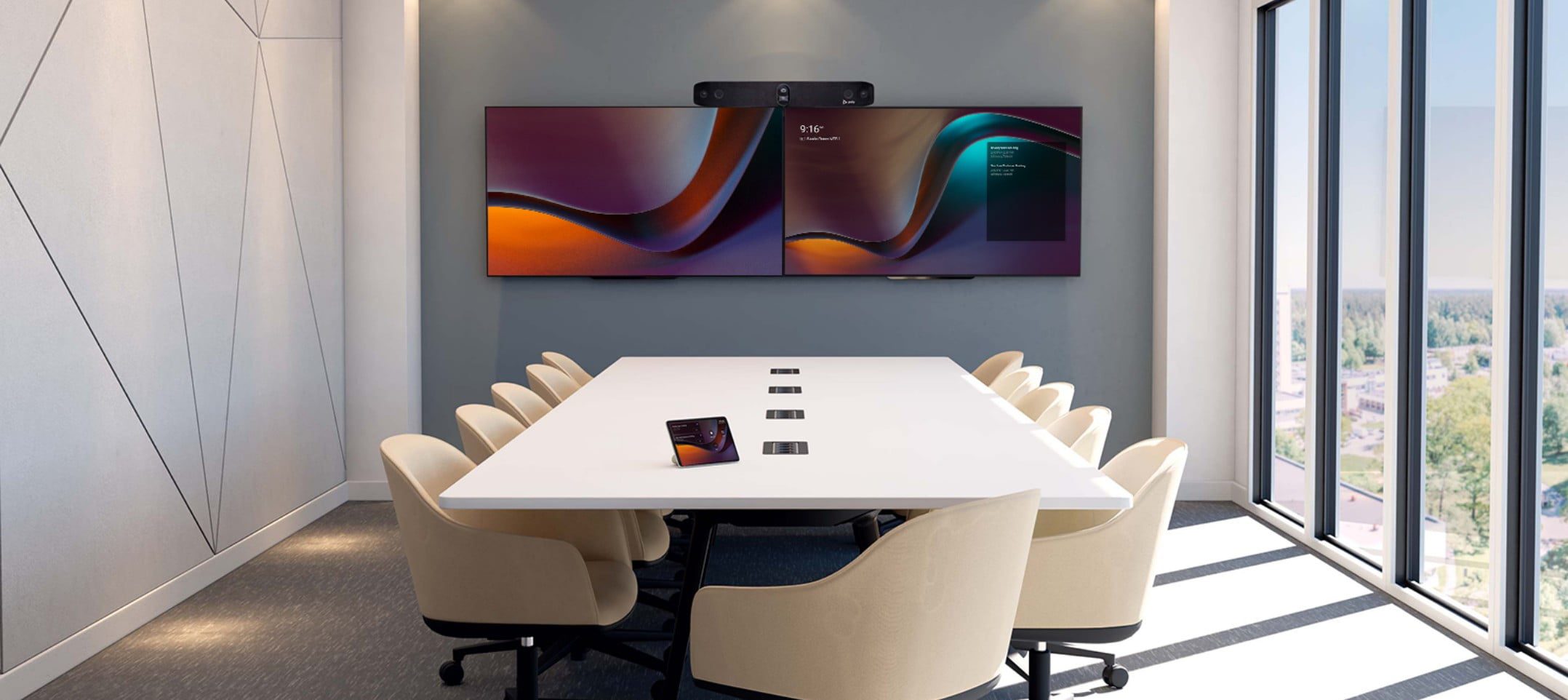 Figure 1: Certified unified endpoints eliminate multi-site technical friction and maximize return on collaboration investment.
Why Businesses Choose Certified Collaboration Systems
Standardising your enterprise environment on certified technology eliminates continuous troubleshooting tasks. Native certifications ensure hardware firmware matches cloud software protocols automatically. When evaluating options, selecting the Best Poly Devices for Microsoft Teams Rooms guarantees compatibility. Every microphone array, display driver, and processing unit functions seamlessly with the Microsoft ecosystem.
Legacy office configurations often use mix-and-match configurations that regularly trigger support tickets. A common symptom of mismatched room ecosystems is the classic boardroom complaint: “Why Is My Headset Not Working?”. Using certified hardware endpoints avoids these standard integration errors completely, safeguarding important executive interactions from unexpected dropouts.
Key Takeaway: Sourcing certified meeting room endpoints reduces specialized internal helpdesk tickets by up to forty percent while ensuring executive video interactions remain stable and predictable.
Key Considerations Before Investing in Conference Room Infrastructure
Enterprise-wide technical rollouts demand a thorough analysis of specific operational criteria. Decision-makers must evaluate hardware capabilities against their long-term growth objectives.
- Acoustic Environmental Management: Acoustic environment needs vary significantly. Open-plan collaborative areas require strict directional sound isolation, whereas closed boardrooms need comprehensive audio capture. Sourcing the Poly Devices for Teams Rooms delivers cutting-edge acoustic fence capabilities that isolate active speaker voices from background noise.
- Intelligent Camera Frameworks: Large boardrooms require automated camera frameworks to keep remote stakeholders engaged. Certified systems offer multi-lens configurations that follow active speakers dynamically without manual adjustment.
- Simplified Centralised Device Management: Managing hardware across multiple physical offices can strain IT teams. Deploying the Best Poly Devices for Teams Rooms allows your technical staff to handle remote configurations, patch firmware, and track device health via a single cloud console.
- Operational Ecosystem Continuity: Standardising hardware components lowers cross-training demands. When an executive moves between different spaces, encountering an uncertified setup often leads to the question, “Why Is My Headset Not Working?”. Establishing a consistent room design ensures standard operational habits across your entire workforce.
Comparing Solutions Across Varying Office Footprints
Focused Huddle Spaces and Executive Pods
Smaller meeting zones up to six participants require compact, all-in-one solutions that conserve space while maintaining premium clarity. For these environments, the Best Poly Devices for Microsoft Teams Rooms focus heavily on integrated smart bars. Devices like the Poly Studio X30 house advanced microphone arrays and powerful speakers within a single, low-profile form factor.
When individual workers join critical meetings from specialized executive rooms, consumer accessories often fail, leading to the familiar question, “Why Is My Headset Not Working?”. Transitioning to purpose-built, small-room bars provides professional-grade communication quality without requiring extensive peripheral wiring.
Medium to Large Strategic Conference Rooms
Medium and large corporate spaces require broader optical range and expanded audio capture. Choosing the Best Poly Devices for Microsoft Teams Rooms for mid-to-large rooms means selecting systems equipped with dual-screen output support and multi-element beamforming microphone layouts.
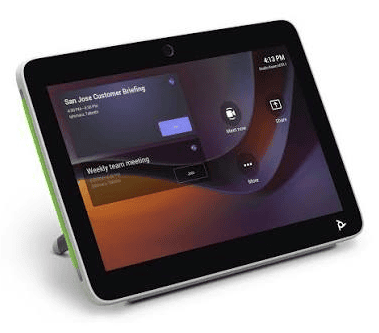
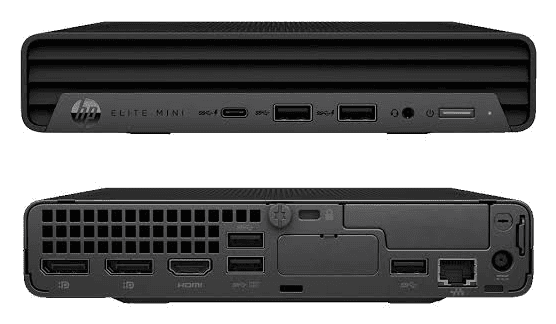
To support large-scale enterprise deployments, implementing a high-performance system like SKU: 7230-88230-012 gives teams a dedicated compute module paired with responsive touch controllers. This eliminates the risk of uncertified personal hardware failures where users ask, “Why Is My Headset Not Working?”, ensuring your boardrooms are always ready for scheduled sessions.
 Custom Executive Boardrooms and Multi-Purpose Environments
 Custom Executive Boardrooms and Multi-Purpose Environments
High-profile executive spaces demand flexible configurations. The Best Poly Devices for Microsoft Teams Rooms designed for custom rooms offer modular processing units that interface with external ceiling microphone arrays and sound systems. This high-end architecture scales seamlessly to suit any bespoke floorplan.
When multi-site board meetings experience delays because an uncertified personal audio device prompts the question, “Why Is My Headset Not Working?” It impacts corporate productivity. Investing in certified modular configurations ensures continuous system readiness for your most important business discussions.
Which Solution Fits Your Business?
To clarify your procurement planning, this matrix highlights the capabilities of the Best Poly Devices across typical corporate environments-
Ecosystem Model | Optimised Space | Video Tracking Capability | Audio Technology Focus |
Poly Studio X30 | Huddle Areas (1-6) | Group Auto-Framing | Acoustic Fence Technology |
Poly Studio X50 | Medium Spaces (6-10) | Speaker Tracking | Next-Gen Stereo Sound Output |
Poly Studio X70 | Large Boardrooms (10-15+) | Advanced Dual-Lens 4K Tracking | NoiseBlockAI Signal Filtering |
| Poly G7500 | Bespoke Multi-Purpose | Modular Camera Input Options | Pro-Grade DSP Component Support |
This structural overview allows IT procurement leads to align physical room dimensions with the corresponding Best Poly Devices for Teams Rooms. It optimizes capital investment efficiency.
Expanding Infrastructure with High-Reliability Ecosystem Accessories
Achieving full workspace connectivity often extends beyond the main boardroom table. Large offices, expansive training rooms, and multi-floor configurations frequently require robust range extenders. Sourcing the Poly Devices for Microsoft Teams Rooms means designing a complete system that includes reliable wireless accessories.
For example, implementing an expansion device like the SKU: 2200-86840-012 maintains secure, extended wireless coverage throughout sprawling office complexes. This prevents communication dropouts across large distances, ensuring your teams remain continuously connected.
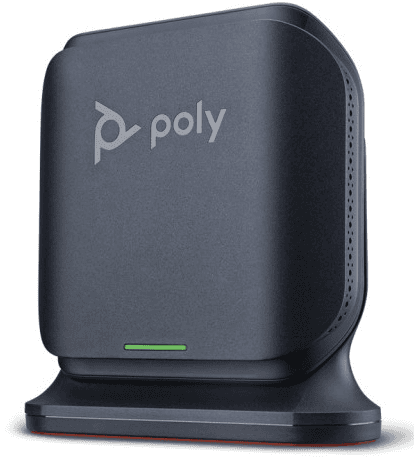
When distributed employees use uncertified or weak equipment and encounter problems like “Why Is My Headset Not Working?”, it stalls operational momentum. Combining stable signal repeaters with Poly Devices for Teams Rooms creates an integrated, reliable communications ecosystem. Reviewing the complete range of enterprise options through the Poly Solutions catalog helps procurement specialists design reliable workplace solutions.
Making the Right Investment for Workplace Collaboration
Investing in enterprise communication systems delivers measurable returns in workplace productivity and lower maintenance costs. Selecting the true Best Poly Devices for Microsoft Teams Rooms protects your business against premature technology obsolescence while keeping teams connected.
When teams face persistent technical issues, they waste valuable time wondering, “Why Is My Headset Not Working?”, instead of focusing on strategic business goals. Upgrading to certified, commercial-grade hardware ensures reliable performance across all your meeting spaces. Sourcing your equipment through certified suppliers ensures you receive reliable product lifecycle support from day one.
Frequently Asked Questions
#1. Which models represent the Best Poly Devices for Microsoft Teams Rooms in medium boardrooms?
The Poly Studio X50 is widely considered one of the Poly Devices for Microsoft Teams Rooms for medium boardrooms. It features dual-display support, advanced camera framing, and premium audio output tailored for spaces with up to ten participants.
#2. Why Is My Headset Not Working during multi-site Teams calls?
When users ask, “Why Is My Headset Not Working?”, it usually indicates uncertified consumer hardware connections or driver mismatches. Deploying the Best Poly Devices for Microsoft Teams Rooms eliminates these configuration issues by using native, certified room components.
#3. How do the Best Poly Devices for Microsoft Teams Rooms handle background office noise?
The Best Poly Devices for Teams Rooms utilize proprietary Acoustic Fence and NoiseBlockAI technologies. These smart features block outside background distractions, ensuring remote participants hear only the active presenter.
#4. Why Is My Headset Not Working when plugged into a touch control console?
Inquiries like Why Is My Headset Not Working?, at the console generally stem from incorrect audio path routing or uncertified connections. Sourcing Poly Devices for Microsoft Teams Rooms ensures hassle-free connectivity via guided on-screen interfaces and certified USB architectures.
#5. Can I manage the Best Poly Devices for Microsoft Teams Rooms remotely?
Its a good to know. The Poly Devices for Microsoft Teams Rooms support remote management through the Poly Lens cloud platform, allowing your IT staff to push firmware updates and monitor hardware across multiple locations easily.
Optimise Your Corporate Communication Infrastructure
Do not let technical friction lower your organization’s daily output. Transitioning your meeting spaces to high-quality hardware ensures reliable, secure communication across your entire business footprint. Partnering with a Specialized Supplier Australia guarantees authentic products, reliable support, and competitive volume pricing.
To assess specialized configurations, verify product availability, or Get a Quote for an upcoming technology refresh, connect with our technology procurement experts. Find the ideal hardware configurations for your business and explore our complete Poly Solutions range at TECHOM Shop today.

Peter Pawlak, Director of Sales and Customer Advocate, brings over 15 years of experience helping ambitious business owners grow with confidence. His mission is to empower people to start, build, and run their businesses successfully, turning ideas into thriving ventures. Peter’s passion for business transformation and his results-driven approach have been key to guiding entrepreneurs toward faster and smarter growth.