






Yealink A40-010 – MeetingBar for Small to Medium Rooms
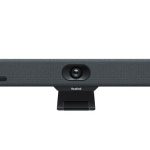
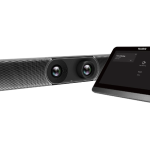
The Yealink MeetingBar A40 is designed to facilitate seamless collaboration in small to medium-sized meeting rooms. This device is engineered to provide high-quality video conferencing experiences, ensuring that remote participants feel fully engaged. With its dual 4K cameras, the MeetingBar A40 delivers crystal-clear video, while its auto-framing and speaker-tracking features ensure that the focus is always on the active speaker. This results in a more immersive and interactive experience for all participants. In terms of deployment, this solution is optimized for Microsoft Teams and Zoom Rooms on Android, making it an ideal choice for businesses already invested in these ecosystems. By integrating this device into their meeting rooms, organizations can enhance their remote collaboration capabilities, streamline communication, and ultimately drive more productive meetings.
The MeetingBar A40’s architecture is centered around providing a hassle-free video conferencing experience. Its design ensures that users can easily initiate and manage meetings, without needing extensive technical knowledge. This ease of use is crucial in a business environment, where time is of the essence and technical issues can quickly derail a meeting. the device’s compatibility with popular video conferencing platforms ensures that it can be seamlessly integrated into existing workflows, minimizing disruption and maximizing ROI.
In terms of enterprise use-cases, the MeetingBar A40 is particularly suited to small to medium-sized meeting rooms, where its dual cameras and auto-framing capabilities can capture all participants with ease. This makes it an ideal solution for businesses that frequently conduct team meetings, client presentations, or training sessions. By deploying this device, organizations can ensure that their remote meetings are always productive and engaging, ultimately driving better collaboration and decision-making.
Technical Specifications
| Brand | Yealink |
| SKU | A40-010 |
| Category | VoIP & Conferencing |
| Number of 4K Cameras | 2 |
| Auto Framing | Yes |
| Speaker Tracking | Yes |
| Compatibility | Microsoft Teams and Zoom Rooms on Android |
| Room Size | Small to Medium (10-15 people) |
| View all Yealink Products → | |
Challenges Solved by this Solution
For many businesses, traditional video conferencing solutions often fall short, resulting in poor audio and video quality, dropped calls, and a lack of effective collaboration tools. These issues can lead to significant productivity losses, as well as increased costs associated with maintaining and upgrading outdated PBX systems. The MeetingBar A40 addresses these pain points by providing a reliable, high-quality video conferencing experience that is easy to deploy and manage. By investing in this solution, organizations can mitigate the risks associated with poor communication, streamline their collaboration workflows, and ultimately drive more efficient and productive meetings.
 Australian Logistics & B2B Support
As a 100% Aussie-owned and operated business, we are a trusted partner for Yealink. We empower enterprise procurement with dedicated B2B account support and flexible payment options.
Frequently Asked Questions
What is the typical room size for the MeetingBar A40?
The MeetingBar A40 is designed for small to medium-sized meeting rooms, accommodating 10-15 people.
Can the MeetingBar A40 be used with other video conferencing platforms?
While the MeetingBar A40 is optimized for Microsoft Teams and Zoom Rooms on Android, it may be compatible with other platforms. However, compatibility is not guaranteed, and users should check with the manufacturer for specific details.
How does the MeetingBar A40’s auto-framing feature work?
The MeetingBar A40’s auto-framing feature uses advanced algorithms to automatically adjust the camera’s focus and framing, ensuring that the active speaker is always centered and clearly visible.
Can the TECHOM Systems Sales team provide installation support for the MeetingBar A40?
Yes, the TECHOM Systems Sales team can provide installation support, as well as design services and consulting services, to ensure a seamless deployment and integration of the MeetingBar A40 into your existing infrastructure.
What kind of training is required to use the MeetingBar A40?
The MeetingBar A40 is designed to be user-friendly, requiring minimal training to operate. However, the manufacturer may offer additional training resources to help users get the most out of the device.
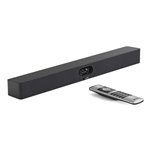
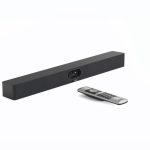
Ready to Deploy Yealink Meetingbar A40 Microsoft Teams And Zoom Rooms On Android, For Small Tomedium Room, 10-15 People,two 4k Cameras, Auto Framing, Speaker Tracking (A40-010)?
Product Ref: TOS-351331 • Get enterprise pricing, volume discounts, and Australian support.