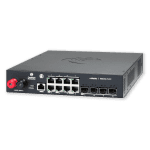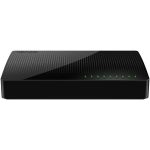







TP-Link NWTL-SG1016D – 16-Port Gigabit Desktop/Rackmount Unmanaged Switch
The TP-Link NWTL-SG1016D is a high-performance network switch designed for enterprise environments. This device features a 16-port gigabit configuration, allowing for seamless connectivity and efficient data transfer. Its energy-efficient design ensures reduced power consumption, making it an ideal solution for businesses looking to minimize their environmental footprint.
The switch’s plug-and-play functionality enables easy deployment and configuration, eliminating the need for extensive technical expertise. With a switching capacity of 32Gbps, this device can handle demanding network traffic with ease. Its compact desktop or rackmount design makes it suitable for a variety of deployment scenarios, from small offices to large data centers.
In enterprise environments, this switch can be used to connect multiple devices, such as servers, workstations, and printers, to a single network. Its gigabit ports ensure fast data transfer rates, reducing downtime and increasing productivity. its unmanaged design makes it easy to integrate into existing network infrastructure.
Technical Specifications
| Brand | TP-Link |
| SKU | NWTL-SG1016D |
| Category | |
| Ports | 16 |
| Switching Capacity | 32Gbps |
| Form Factor | Desktop/Rackmount |
| MAC Plug&play | Supported |
| View all TP-Link Products → | |
Challenges Solved by this Solution
Many businesses struggle with network congestion, slow data transfer rates, and inefficient infrastructure. This can lead to decreased productivity, increased downtime, and a significant impact on the bottom line. This device solves these pain points by providing a high-performance, energy-efficient network switch that can handle demanding network traffic. Its plug-and-play functionality and compact design make it easy to deploy and integrate into existing infrastructure, reducing IT overhead and mitigating risk.
 Australian Logistics & B2B Support
As a 100% Aussie-owned and operated business, we are a trusted partner for TP-Link. We empower enterprise procurement with dedicated B2B account support and flexible payment options.
Frequently Asked Questions
What is the difference between a managed and unmanaged network switch?
An unmanaged switch is a plug-and-play device that requires no configuration, whereas a managed switch offers advanced features and configuration options.
How do I configure my network switch for optimal performance?
Consult the user manual or contact the manufacturer’s support team for guidance on configuring your network switch.
Can I use this switch in a small office environment?
Yes, this switch is suitable for small offices, as it is compact and easy to deploy.
Can the TECHOM Systems Sales team help me with installation and support?
Yes, our sales team can provide assistance with installation, configuration, and ongoing support for this device.
What is the typical deployment scenario for a 16-port gigabit switch?
A 16-port gigabit switch is typically used to connect multiple devices, such as servers, workstations, and printers, to a single network in a small to medium-sized business or enterprise environment.
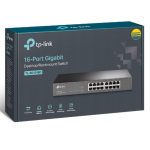
Ready to Deploy TP-Link Tl-sg1016d 16-port Gigabit Desktop/rackmount Unmanaged Switch Energy-efficient Supports Mac Plug&play 32gbps Switching Capacity (NWTL-SG1016D)?
Product Ref: TOS-848167 • Get enterprise pricing, volume discounts, and Australian support.