







Brother TD-4550DNWBP – Direct Thermal Barcode and Label Printer
This solution is designed for enterprise-level use, offering a range of connectivity options including USB, Wi-Fi, Bluetooth, and network interface.
The printer features a high-resolution 300dpi print head and a built-in label peeler for efficient and accurate printing. Furthermore, the device supports direct thermal printing, which eliminates the need for toner or ink.
In addition to its printing capabilities, this product also offers advanced connectivity options, allowing it to integrate seamlessly with existing enterprise systems. Specifically, the printer’s Wi-Fi and Bluetooth connectivity enable wireless printing from mobile devices, while its network interface allows for easy integration with enterprise networks.
Technical Specifications
| Resolution | 300dpi |
| Connectivity | USB, Wi-Fi, Bluetooth, Network Interface |
| View all Brother Products → | |
Challenges Solved by Brother TD-4550DNWBP
Bottlenecked deployment workflows can be a significant challenge for enterprises. This product solves this pain point by streamlining the printing process and eliminating the need for manual label peeling. Consequently, deployment times are reduced, and productivity is increased.
Infrastructure scalability limits can also be a concern for growing businesses. This printer’s advanced connectivity options and high-resolution print head enable efficient printing from multiple devices, reducing the strain on infrastructure.
 Australian Logistics & B2B Support
As a 100% Aussie-owned and operated business, we are a trusted partner for Brother. We empower enterprise procurement with dedicated B2B account support and flexible payment options.
Frequently Asked Questions
What are the recommended settings for the direct thermal printer to produce high-quality labels?
The recommended settings can be found in the user manual provided with the product. However, if you need further assistance, our Sales Team can help.
How do I connect my smartphone to the printer via Bluetooth?
To connect your smartphone to the printer via Bluetooth, go to your phone’s settings and select “pair new device.” Then, press the Bluetooth button on the printer and select it from the list of available devices.
What kind of labels can this printer print?
This printer can print a wide range of labels, including barcode labels, shipping labels, and inventory labels. If you need specific label templates, our Sales Team can provide assistance.
Can I purchase replacement ink or toner for the printer?
The printer uses thermal printing technology, which eliminates the need for ink or toner. However, if you need to replace any parts, our Sales Team can help with ordering and installation.
What kind of technical support is available for this product?
Our Sales Team is available to provide technical support and answer any questions you may have about the product.
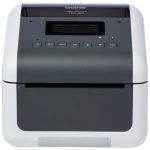
Ready to Deploy Brother Direct Thermal Barcode And Label Printer, 300dpi With Label Peeler, Usb, Wifi, Bluetooth And Network Interface (TD-4550DNWBP)?
Product Ref: TOS-1580288 • Get enterprise pricing, volume discounts, and Australian support.